
Bookmark Assistant
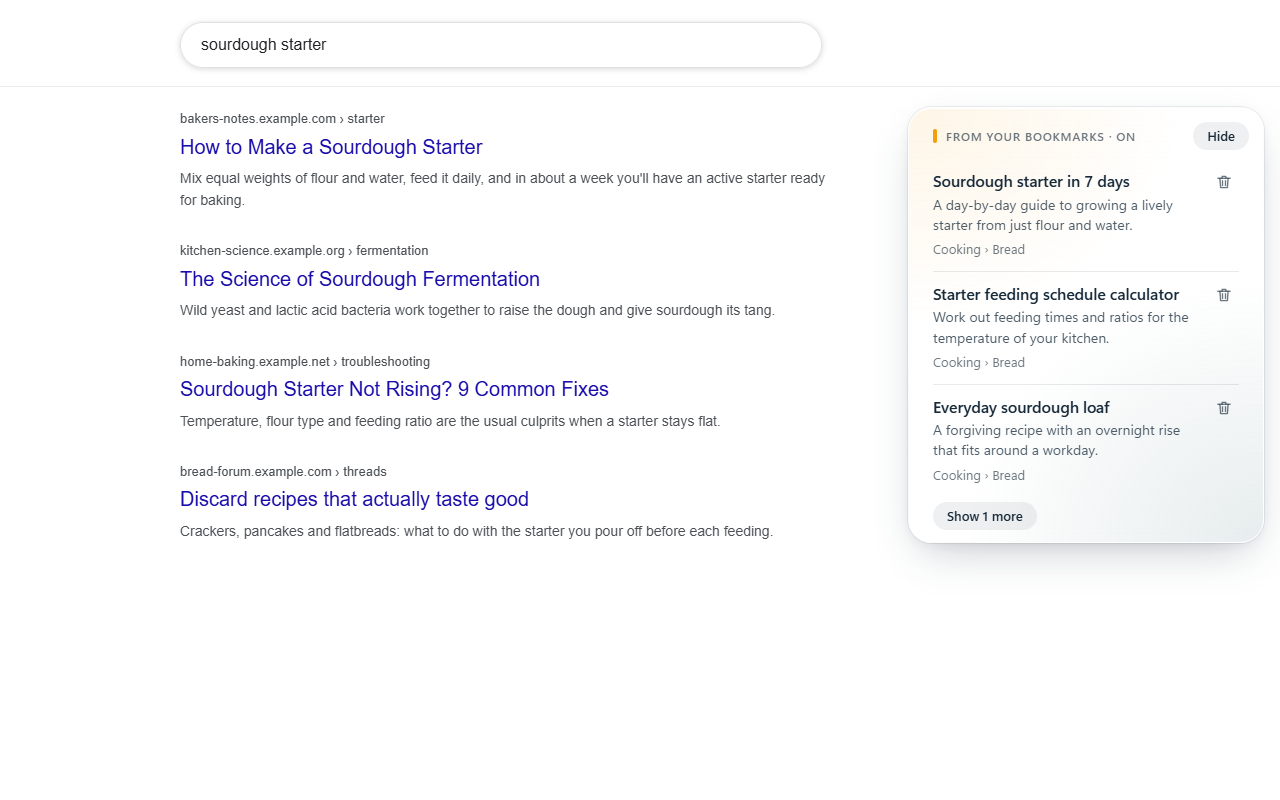
You saved those pages because they were useful. Search Google as usual, and your own matching bookmarks appear first, right beside the results.
Finds what you meant
No need to remember a title or folder. Matching uses titles, folder names and web addresses, and tolerates typos.
Tells them apart
Each bookmark can show the page's own one-line summary, so you know which one you want before opening it.
Cleans up as you go
The trash button deletes a bookmark you no longer need, and Undo puts it right back.
Stays out of the way
No match, no panel. Hide shrinks it to a small tab, and the toolbar icon turns it off.
Private by design
Your bookmarks and searches never leave your device. No account, no server, no tracking.